As a preface, thank you Cameron, Ike, Morgan, and Nick for helping drive this project forward as groupmates.
Project Description
The Government Wants Your Grass is a collection-based space adventure and police chase game. It was built using OpenGL for rendering, GLFW for windowing and input, GLM for math, ImGui for the UI, miniaudio for sound, stb_image for texture loading, and tiny_obj_loader for loading .obj models. The game runs on a custom ECS engine that follows design principles from Bevy, including components-as-types for easy type-safe queries. Sparse-set component storage is used for optimization and iteration, and handles are used extensively for better failure cases.
During gameplay, the player pilots a spaceship through outer space while avoiding the space police, collecting plants, and delivering them to a final destination. The goal of the game is to collect at least 10 plants before arriving at the final destination. Along their journey, the player is guided by a navigation arrow to land on a series of planets to temporarily escape pursuit, take a break from the chase, and advance the game's story. If the player collides with a police ship, one plant is stolen from their collection. The player must also avoid the hundreds of asteroids that are scattered throughout space, as colliding with an asteroid results in an immediate game over.
Video Demonstrations
These videos demonstrate the main features of gameplay, including the flight controls, collecting and delivering plants, collisions, and being guided by the navigation arrow to land on planets.
Searching for and collecting plants
Landing on a planet
Causing enemies to collide and delivering the plants
User Guide / Keyboard Controls
- WASD to move
- Space Bar to boost
- H to honk the horn
- P to deliver plants once the final destination has been reached
- R to replay the game
Technologies
Camera / View
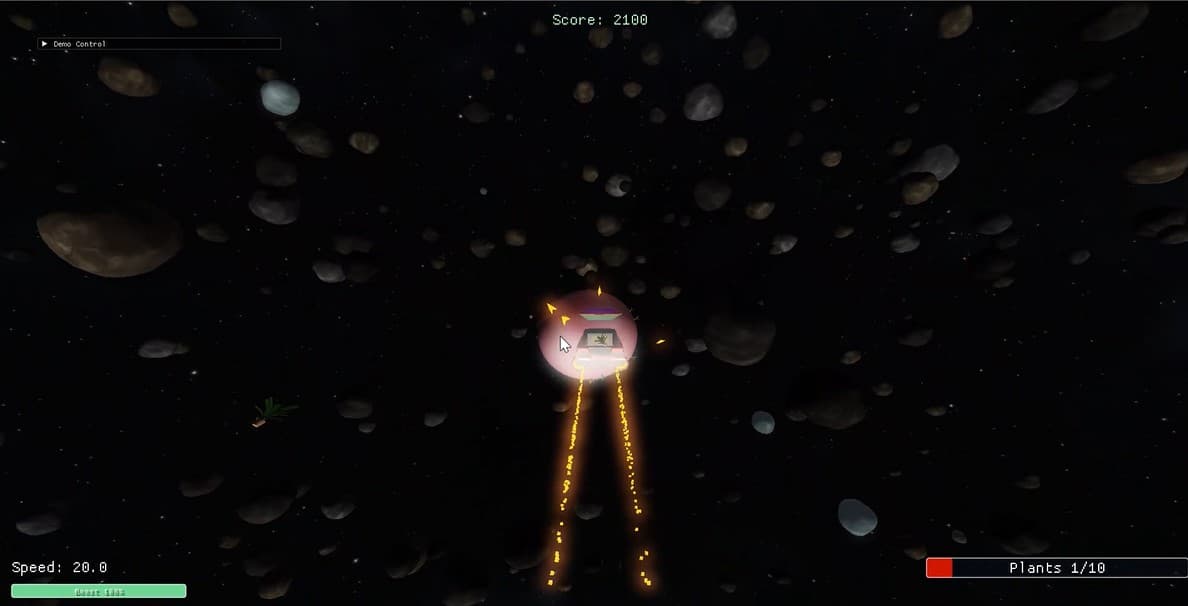
This game uses a 3rd-person camera view that is attached to the player on a spring arm. The camera follows behind the player at an offset, creating a lag that enhances the flight motion. It has smooth angular rotation to follow the player's dynamic movement through space, as well as separately controlled linear movement to enhance the feel of the boost.
Character Animation
The player ship uses velocity-based flight controls with both linear and angular velocity components. The player can freely rotate in 3D space (6DOF) and move in any direction, allowing them to search for plants while avoiding space police and asteroids. Steering input controls pitch and yaw, while boost input increases forward motion. When the player is landed on a planet, movement is temporarily disabled until the player boosts to take off.
The space police use a similar flight model and rely on proportional navigation to pursue the player ship. This approach estimates how quickly the line of sight between the police and the player is rotating, then adjusts the police ship's angular velocity in proportion to that rate. The police turn toward an efficient path rather than simply pointing directly at the player, creating more accurate and dynamic pursuit behavior.
Complex Environment
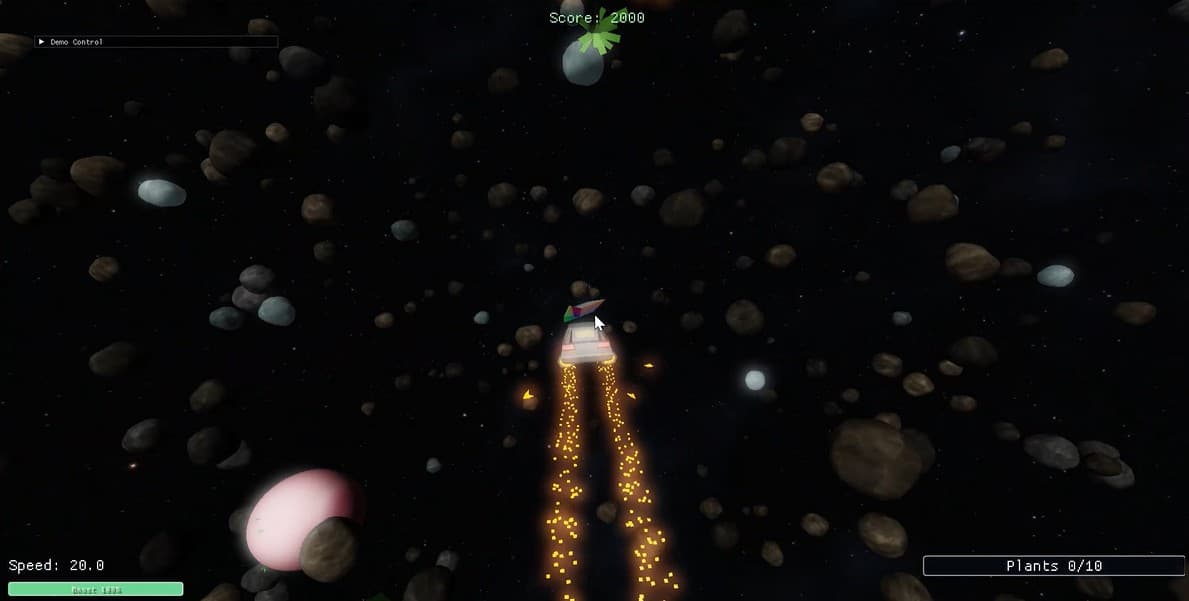
Although the game is set in outer space, there are several elements to create more variety and gameplay challenges. There are hundreds of asteroids that populate the environment, requiring the player to carefully navigate around them, while some asteroids move unpredictably through space. The player must travel through a series of planets before reaching the final destination, and the navigation arrow helps guide them toward their next objective. Plants are scattered throughout space and can be collected for points. In addition, space police patrol the environment and actively pursue the player, attempting to steal plants that have been collected and stored aboard the player's ship.
Collision Detection
This game uses bounding spheres for collision detection. When two spheres intersect, the collision system generates a collision event that other observers can respond to. Depending on the entities involved, there will be a different response within the game. For instance, colliding with plants or planets are a positive event because the player earns points for these interactions. On the other hand, collisions with enemies result in a deduction of points and a collision with an asteroid triggers an end-of-game response.
Spatial Data Structure
We implemented a uniform spatial grid for the spatial queries in this game, and each bounding sphere is assigned to a grid cell based on the position of its center. The grid cell size is determined by the largest collider radius in the area around the player. For each entity, the system checks its own cell plus the surrounding neighbor cells, which reduces the computational overhead of comparing every entity against each other. Nearby objects are guaranteed to be in the same or neighboring cells of the grid due to the cell size constraint, so only these nearby pairs need to be tested against one another. Entities with a collision optimizer component define a zone in which optimized collisions can occur (distant colliders are ignored), and large objects like planets that would bloat the grid size can opt out of optimization to always be collidable.
Shadows
We have a basic shadow mapping implementation to create a better sense of depth and spatial awareness in the game. There are many light sources in the game, but there is a single point light acting as the 'sun' of this galaxy, from which the shadow mapping calculations are performed. The main purpose of the shadows is to guide the player in landing on the planets, so they have better depth perception as they approach the planet and cast a shadow on its surface.
View Frustum Culling
The game uses view frustum culling to improve rendering performance by avoiding drawing objects that are outside the camera's view. The six planes of the view frustum are computed, and each entity that contains a bounding sphere component is tested against these six planes. If the sphere is completely outside any frustum plane, then the entity is marked as 'culled' and skipped during rendering. Otherwise, the entity is drawn as usual. This reduces unnecessary draw calls and improves performance, especially in large game environments with many objects.
Deferred Shading
Since there are many light sources throughout the game environment, our deferred shading implementation provides visual enhancement to the game. During the geometry pass, each visible object is rendered into a set of G-buffer textures, which store information such as world position, surface normals, and color. After the G-buffer is populated, a later lighting pass can use this stored information to compute lighting in screen space. This makes the rendering pipeline more efficient for scenes with multiple light sources.
Bloom / Blur
The game implements bloom using a multi-pass Gaussian blur. The bloom shader samples neighboring pixels using a set of precomputed Gaussian weights and accumulates them to create a soft glow around bright regions of the game. During each pass, the shader samples texels at increasing distances from the current pixel and combines them using Gaussian weights. The final result is a blurred image that can be blended with the original scene to create the appearance of light bleeding from bright objects, which enhances the visual quality of the scene.
Particles
A simple particle system is used to emit cube-shaped particles that simulate spacecraft exhaust. Two particle streams are emitted from the rear of the player's spacehsip, while similar trails are emitted from the space police ships. These particle effects enhance the sense of motion and help convey the movement of spacecraft through space. Taking advantage of instanced rendering cuts the performance hit significantly, and entities are recycled instead of being constantly spawned and despawned to further increase performance.
HUD / GUI
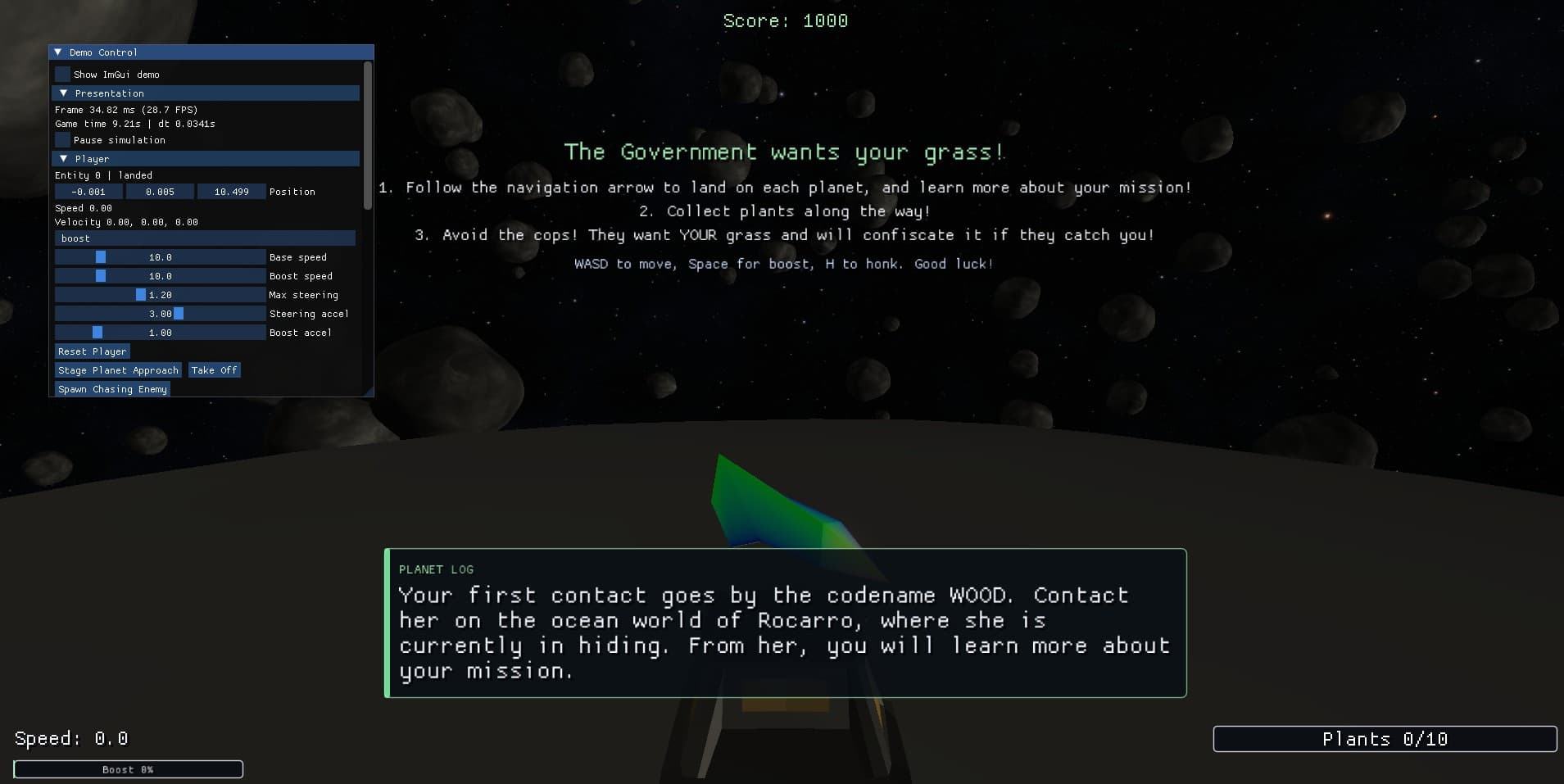
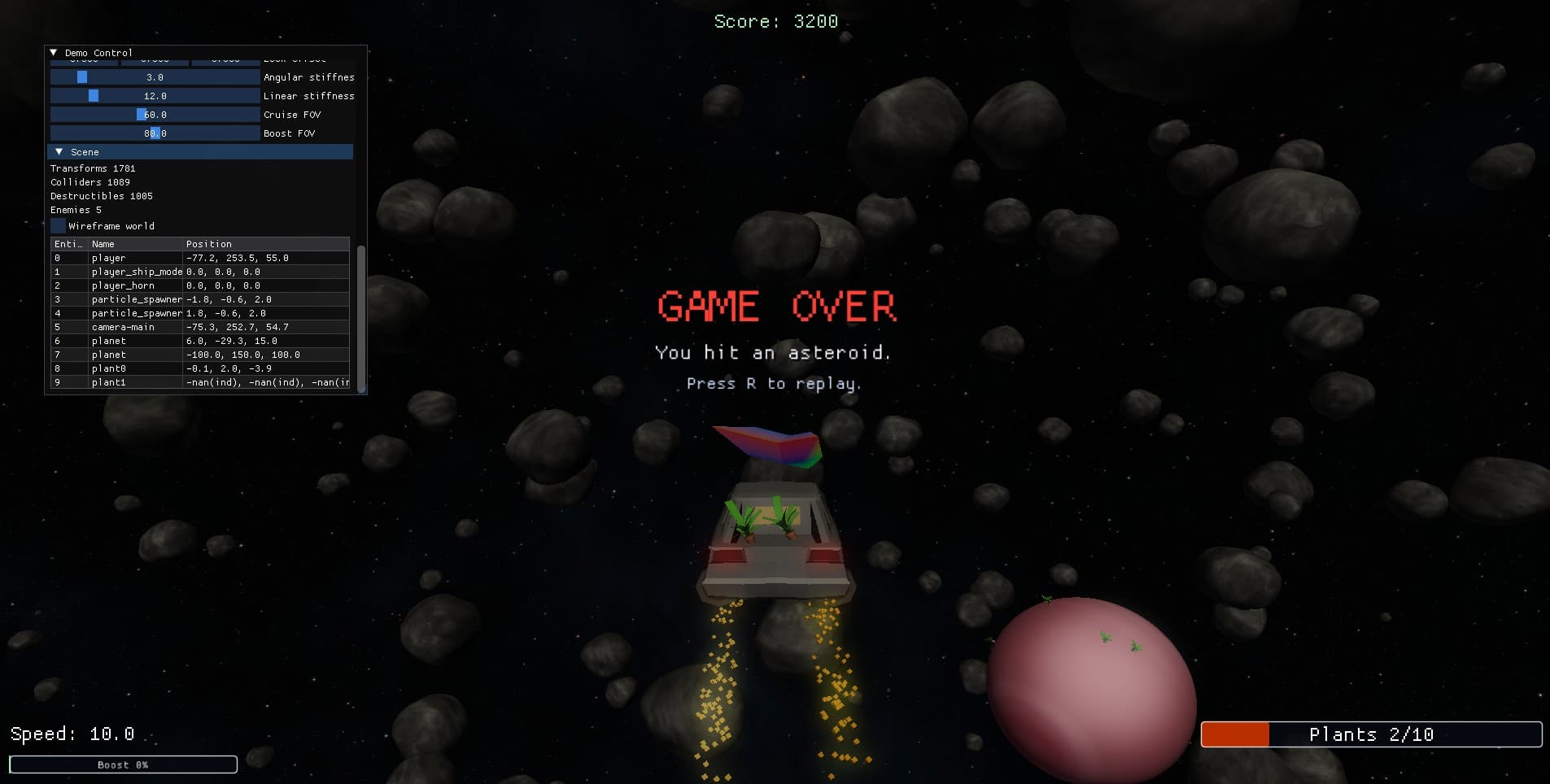
Several graphical user interface elements are used to display game information and track player progress. An ImGui debugging menu provides engine and gameplay information, including the player's velocity, the number of entities currently spawned in the world, and controls for spawning additional space police. On-screen text is used to present the game controls, story information, player score, and end-of-game messages. Finally, a progress bar is displayed in the corner of the screen to track the player's progress toward the goal of collecting 10 plants.
Assets & Data
All objects, assets and data are loaded from a resource location as standard compliant Wavefront Object files, Wavefront Material files, and JPEG or PNG images. This allows for usage of 3D model data exported from a wide variety of tools and also found readily available from most third party model shops. Some models were sourced from sites on the internet such as Turbosquid or created or modified manually using Blender. The ability to follow the Wavefront specification also makes it easy to change textures, add to texture channels, and modify other material information without the need to recompile or hardcode the data in other ways. We also extend the specification by allowing for the material binding map_Ke to provide a texture that will be treated as a map of material emissive values for the purposes of calculating bloom.